In this blog post, you’ll learn:
When someone is looking for a doula, they rarely type “best doula in the UK”. They type “doula near me” or “doula in [your location]”. That’s why local SEO is where I’d focus your energy, and why your Google Business Profile is one of the most useful things your doula website can be connected to.
For 90% of the doulas I work with being found locally is up there in their top concerns, so getting your Google Business Profile up and running and optimised will be one of the most efficient ways to get your business in front of local parents who are ready to sign up with a doula.
How does local ranking work for doulas?
Google’s local ranking comes down to two main things:
Distance. How close you are to the person searching.
How well optimised your Google Business Profile is. How complete, active and trustworthy it looks.
You can’t change where you live, but you have a lot of say over the second one. That’s what the rest of this post covers.
One tip before you start: track where you’re ranking. As a side effect, you’ll see who your local competitors are, and you can reverse engineer what they’re doing well.
If you’re totally bamboozled by SEO I’ve got an SEO workbook just for doulas here. It will actually be really helpful to fill this out before you dig into setting up your Google Business Profile as the same principles for SEO apply to optimising your Google Business Profile.
Step 1: How do you do local keyword research?
Keep it simple: service + location. For you, that might be:
Doula + your location
Postnatal doula + your location
Lactation consultant + your location
I keep keyword research to the basics in The Doula Website Circle, because you’ve got A LOT to think about. If you wanna go deeper with Google’s keyword tools, you absolutely can (lol), but you don’t need to.
Step 2: How do you get Google reviews as a doula?
Reviews are one of the most powerful things you can do for local ranking. Obvs they convert too. We’ve all seen a 4.9★ rating and thought, “yeah, that’s for me.” They also matter for visibility in AI answers, where they’re among the biggest factors for Google’s local AI.
How to get them:
Share your Google review link with past clients, and send it to current clients straight away.
Build it into your process. Add the link to your emails, or pop a QR code or link in your onboarding document.
Aim for at least as many reviews as your top-performing local competitors.
Once you have reviews, embed them on your website too (more on that in Step 8).
Step 3: How do you set up a Google Business Profile for a doula business?
Go to business.google.com and work through the setup.
Business name:
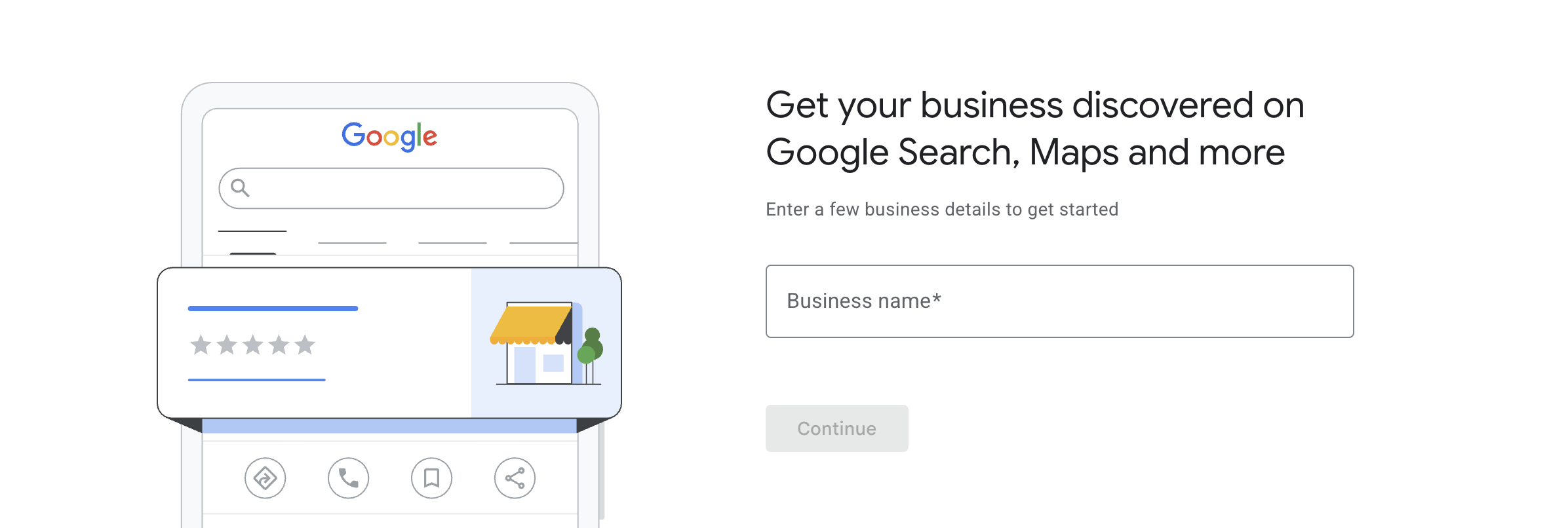
Enter it as you’d like to be found. If it’s genuinely how you trade, you can include your location, for example “Rachel the Raynes Park Doula”, provided someone else doesn’t already have it. Google expects your name to match your real-world business name, so don’t stuff keywords in if that’s not what you’ve named your business on your website or in any of your other materials. What I’m trying to say is that it’s quite sensible to be “Rachel the Raynes Park Doula” generally if you want to rank for local SEO.
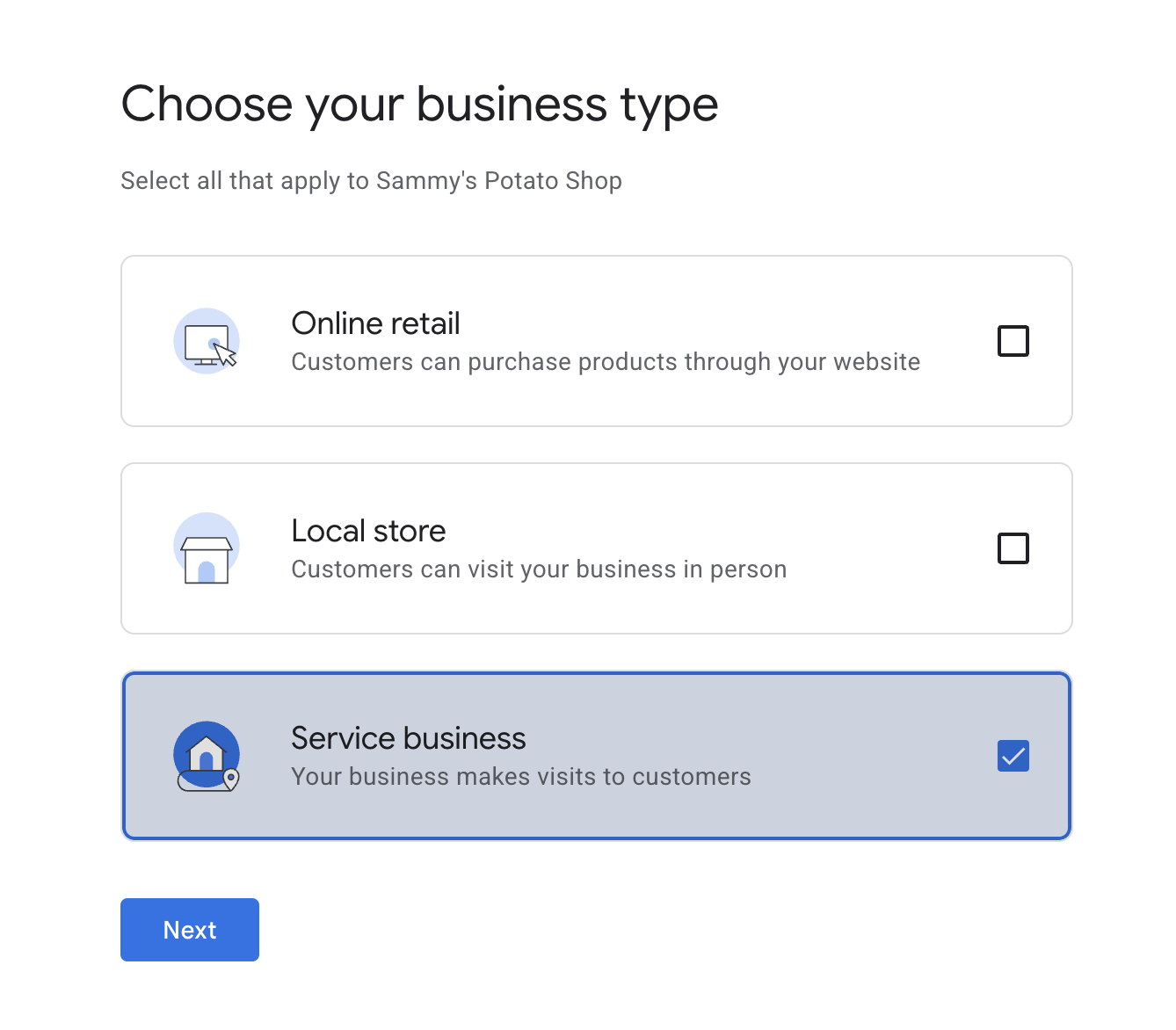
Business type
You’ll be offered online retail, local store or service business. For almost every doula, service business is the right choice.
Should you add your home address?
You could pick local store and attempt to list your home address as your “store”. Some doulas add it, and that’s ok, but consider two things:
It’s public, so think about whether you’re happy for your home address to be visible.
It requires verification and verifying a home address tends to be a bit of a ballache.
Verification is essentially Google’s way of checking you genuinely own the business. It exists because there used to be a lot of fraudulent claiming of businesses and addresses. It’s annoying, but on balance it’s pretty useful.
What is a Service Area Business?
If you’d rather not show an address, you can set up as a Service Area Business, which is what I’ve shown instructions for above. You say you serve customers in their homes and show where you’re willing to travel, rather than a specific address.
The big caveat is that it’s much harder to rank with a Service Area Business profile. It’s not impossible, but Google is likely to prefer profiles with an address.
If you go this route, do it carefully. Overdo it and Google may think you’re spamming, which will hurt your ranking. Google’s rules are:
You can list up to 20 service areas.
Your overall area shouldn’t extend more than 2 driving hours from your main location.
Be very specific about the areas you cover.
Back up your service areas on your website
One of the best ways to prove you cover the areas you’ve listed is to list them clearly on your website. Best practice is an exact replica. If your website says you cover Farnborough, Woking, Guildford, Fleet and Farnham, don’t add Aldershot on your Google Business Profile. Be completely consistent.
Business category

“Doula” is on the list. Choose a primary category and add secondary ones where they fit.
Where you serve your customers
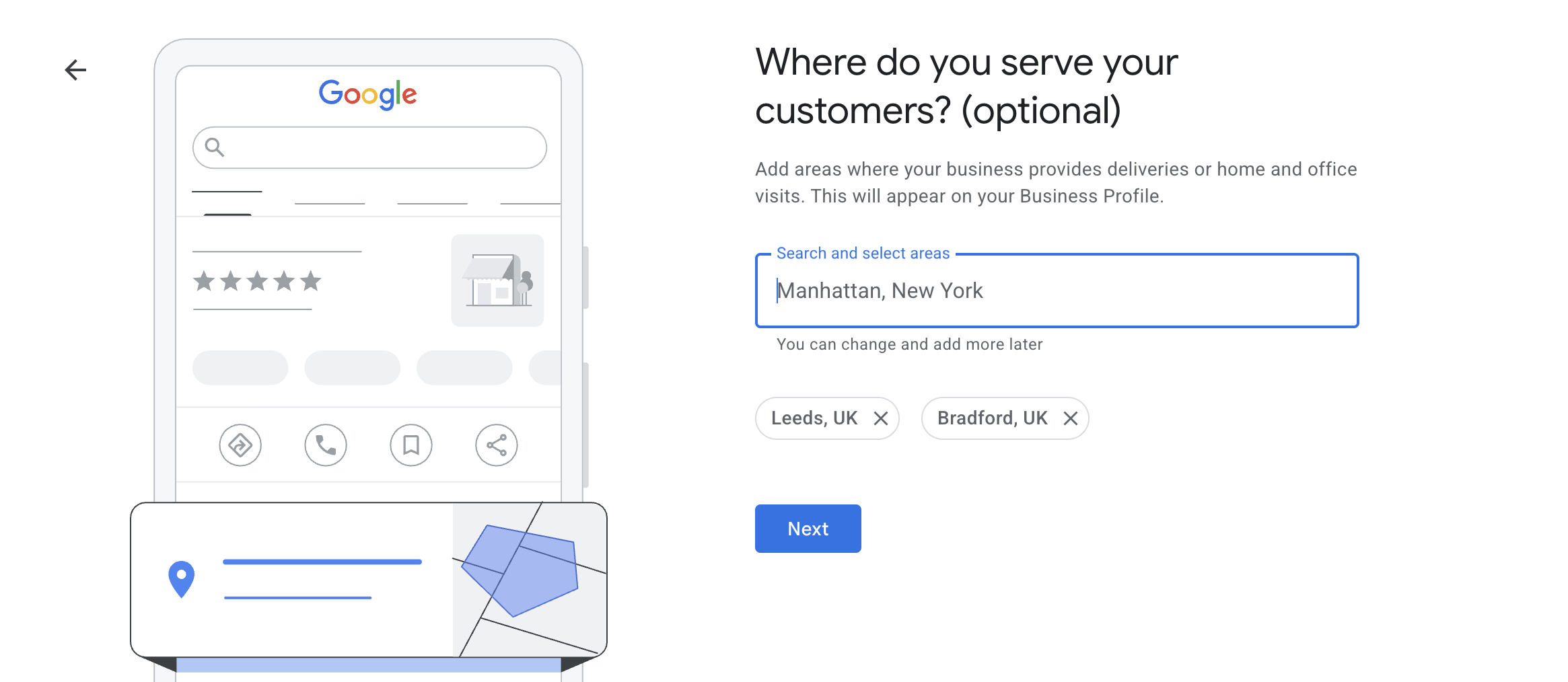
This is where people often go a little bit wrong. It’s tempting to go wide, but that’s counterproductive: you end up not showing for the really local people who are Googling you. Add the towns within a realistic radius for your doula business.
Contact details

Google’s really asked the right question here: what do you actually want to show customers? You don’t have to fill in every field, and this information becomes public, so only add what you’re comfortable sharing.
List your website
Not sammyspotatoes obvz but your beautiful, authentic, client attracting website. It is a MUST. People who find you on the map will almost certainly click through to get to know you before they get in touch. They’re very unlikely to ring you based on a Google Business Profile alone. If you don’t have a website yet, or yours needs a refresh, that’s exactly what I teach in my signature course, The Doula Website Circle.
Tips on how to manage your Doula Google Business Profile to get it ranking higher on Google Maps
Keep your service areas under a 45-minute drive, rather than the 2-hour maximum Google allows.
Use your keywords in your business description.
Add real photos. Show yourself with clients, doing your thing. Google can recognise a stock image when it sees one, so skip them. Update your photos regularly, especially ones taken on your phone.
List your services with keywords, such as “Doula in Raynes Park” or “Postnatal Doula Services South West London”.
Complete every section of your profile.
Name, Address, Phone number (NAP). Decide on the definitive version of these details and make sure there are no inconsistencies anywhere your business is listed. Audit your business name everywhere it appears.
Well done and congratulations on getting your Google Business Profile done!
Now you’ve done everything you can to help optimise from within Google Business Profile, but there’s more…
Steps 4-8 are things you can do to back up the power of your Google Business Profile, once again with the aim of getting it ranking in that top 3 for your area. Step 9 is part of the ongoing maintenance of your Google Business Profile, so please read on to make the most of what you’ve just created.
Step 4: How do you optimise a local page on your doula website?
Choose one of your local pages, such as “Postnatal Doula in [Your Location]” and optimise it using the SEO basics you already know. It’s a virtuous circle: your website supports your Google Business Profile, and your profile sends people to your website.
Step 5: Embed your Google Map on your homepage
Add your Google Map to your homepage alongside your NAP details. It reinforces your location to both visitors and Google. It’s a little fiddly so I’m going back to pictures:
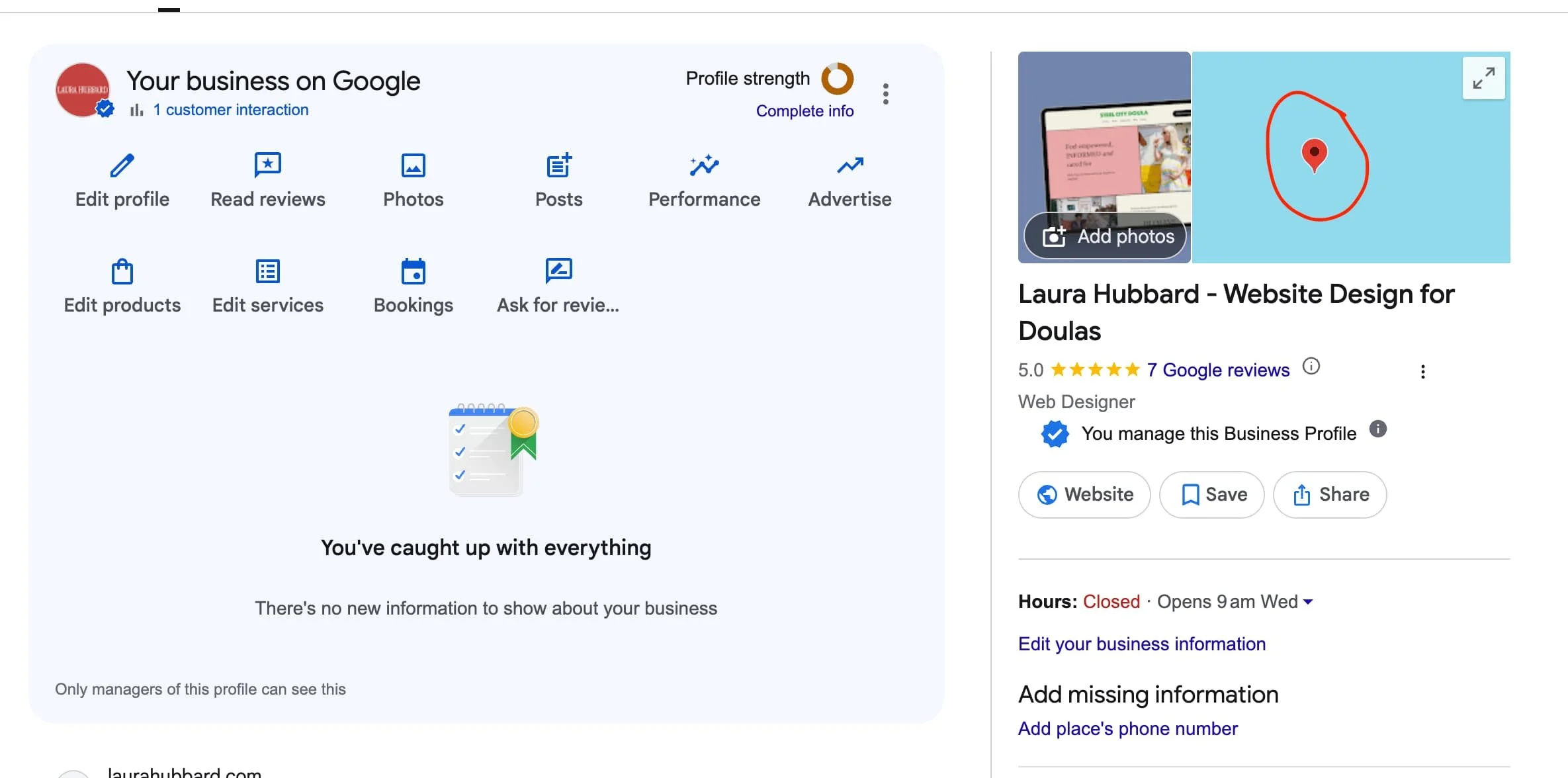
First click on the actual map that has come up on your Google Business Profile.
Mine looks like the middle of the ocean (outlined in red). Click there and it will take you through to Google Maps.
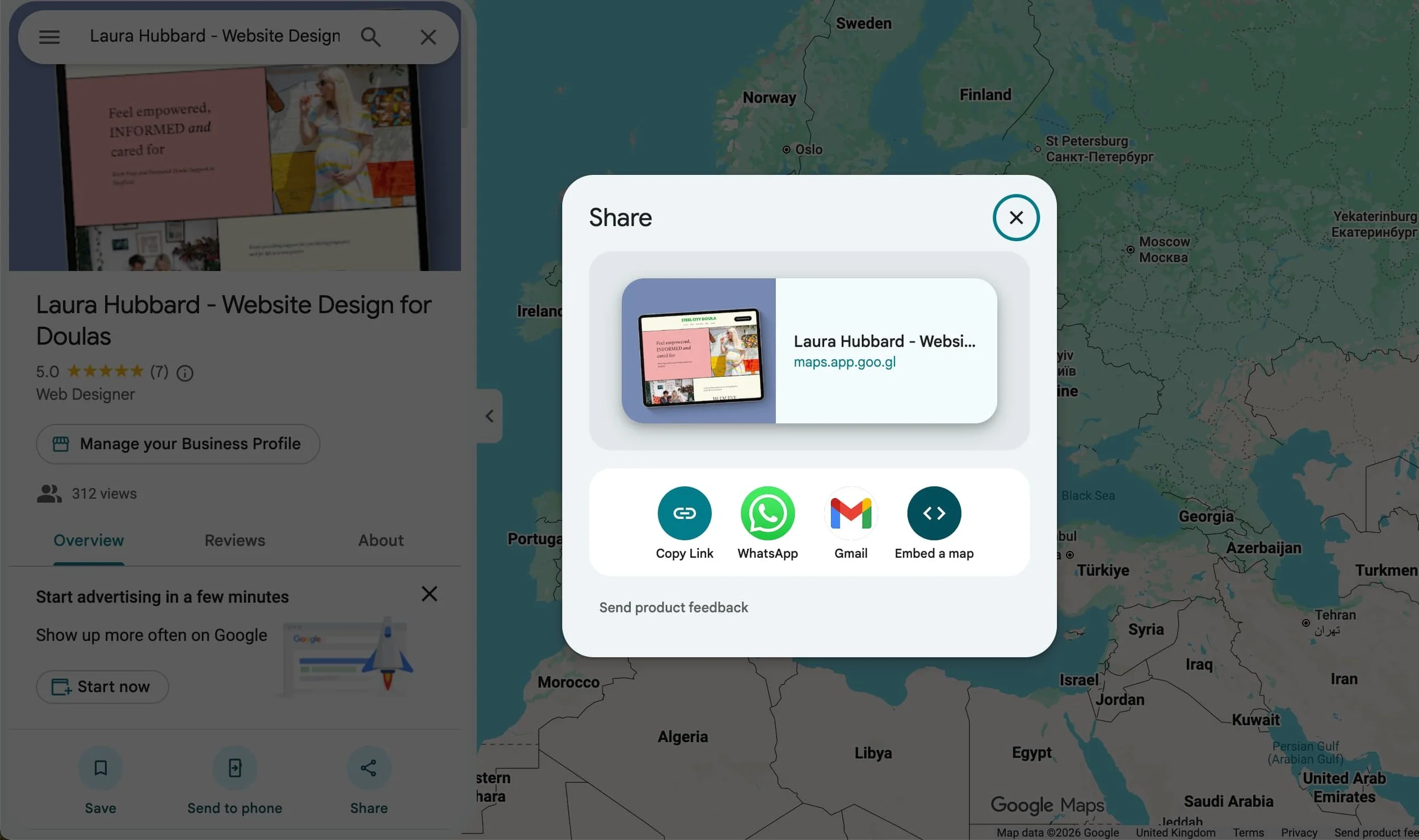
Then click on “Embed a map”
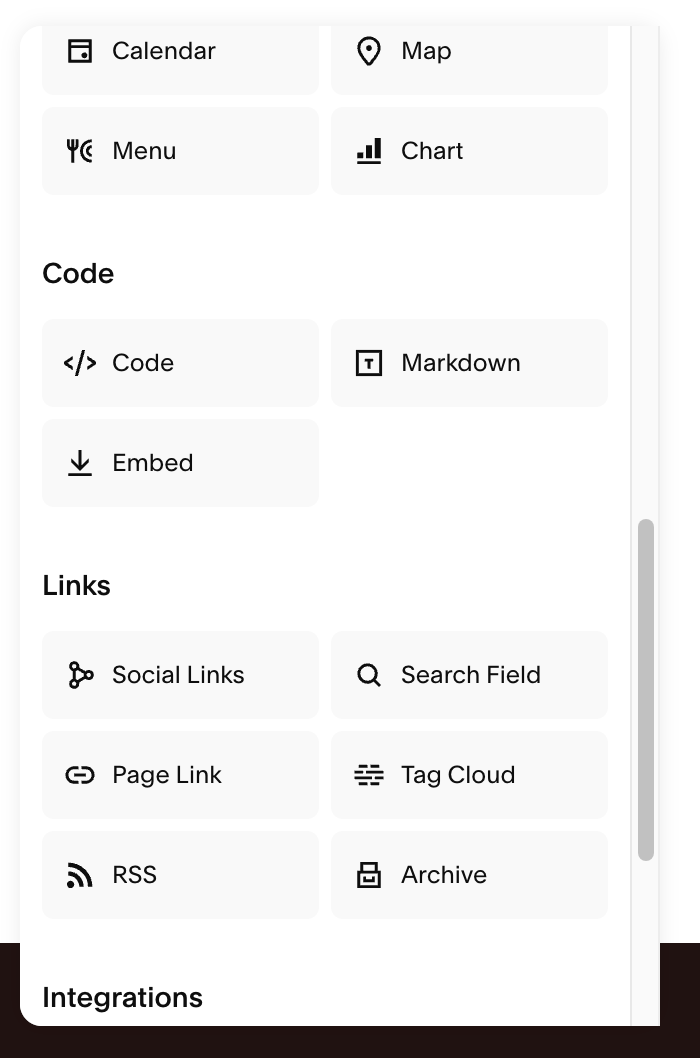
Then go to your website and depending on your website builder the process will be different. In Squarespace, the process is to add a new block and scroll down to the Code Section and pick an embed block. Then pick code snippet and copy and past the embed code from Google Maps in there. Simple!
Step 6: Set up business directory listings
You can keep going by trying to list your business anywhere you can think of, this is all about making sure Google believes you’re trustworthy so the more the merrier:
Instagram and Facebook
Your training provider’s website (ask them to link to you)
Local mum and baby groups online, if you have the connections
Directories like Trustpilot and Yell
Step 7: Aim for listicles
Getting included in local “best of” lists or roundups is another trust signal. Think about who in your area publishes these, such as local parenting blogs, baby groups and community sites and get in touch. Nothing ventured, nothing gained.
Step 8: Use your Google reviews on your website
Once you’ve collected reviews, show them off on your site. They build trust with visitors and keep your reviews working for you in more than one place.
Step 9: Post weekly on your Google Business Profile
Add a new post to your profile once a week. You don’t need to create anything new: repurpose one of your social media posts. You take up more room, you show you’re active and consistency gets a boost from Google itself.
Where should you start?
This is a lot, so unless you’re feeling SUPER PUMPED don’t try to do it all in one afternoon. If you only do three things this week:
Set up or complete your Google Business Profile.
Send your review link to past and current clients.
Check your name, address and phone number are identical everywhere.
Then work through the rest one step at a time.
FAQs
-
If you want to show up for searches like “doula near me”, yes. It’s the main way you appear on Google Maps and in the local results and it sends people to your doula website.
-
Yes. Choose the Service Area Business option and list where you’re willing to travel. It’s harder to rank this way, so be specific and keep your areas realistic.
-
Up to 20 and your overall area shouldn’t extend more than 2 driving hours from your main location. For ranking, I’d keep it under 45 minutes.
-
Aim for at least as many as your top-performing local competitors.
-
Once a week is plenty. If you’re on social media recycle old posts from there to get you started.
Woohoo you made it to the end! Thanks for reading. I wrote this blog mostly myself, then I shove it through Claude to make sure that I’m meeting SEO best practices. I hope that honesty is helpful for you when navigating your own blogging/AI practices within your business. I think when I have more than 2 afternoons a week to work, I’ll probably be a total AI refusnik and go back to writing them all by myself but for now, Claude is doing a good job as my intern.
Ready to get your homepage done today? I've got a free 30 minute video training on the best 3 tips I've picked up while working as a doula website designer for high-converting homepages. And it comes with a fill in the blank home page content planner. Find that here.
Getting found online is only part of the puzzle, so once you’ve got your GBP at the top of Google future clients might still not be enquiring for other reasons (e.g. it’s not clear who you are, who you’re best for, what you actually do, how to get in contact with you… the list goes on). Plenty of my freebies go into the whole kit and kaboodle, but just write below if you have any questions and I’ll be sure to answer!
Meet Laura
Laura Hubbard is a website designer and business strategist for UK-based doulas. She runs The Doula Website Circle, a six-week live group programme where doulas build their own Squarespace doula websites, has a collection of exclusive Squarespace doula website templates in her shop along with mini course so you know exactly how to create the site you want, has homebirthed two babies, one with a doula and is a BfN-trained Infant Feeding Peer Supporter. She's worked with dozens of doulas on their websites and just knows what birth workers need when it comes to their online business strategy.